Lab: AI Motion Video Maker for mobile social clips
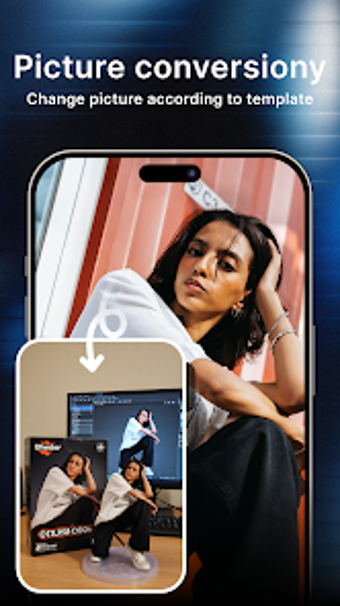
Lab - AI Motion Video Maker, developed by HCVT Hub, helps creators convert photos and short clips into motion videos for social platforms. The app applies AI motion effects, automates background removal, and applies filters and sound to match pacing so novices avoid complex timeline edits. It offers a template library, smart filters, and export presets for social upload. The tool targets social media creators and lifestyle enthusiasts who need fast, polished visual content on Android devices.
How it prepares clips for social sharing
The app produces standard high-definition MP4 exports and provides one-tap export options tuned for platforms such as TikTok, Instagram, and YouTube. Music and sound effects sync to video pacing, so short posts reach publishable form quickly. The workflow emphasizes quick output rather than detailed timeline work, making the app suitable for users who need ready-to-post clips instead of frame-by-frame editing.
Runs on common Android hardware with modest demands
Lab requires Android 5.0 or later and the developer describes the build as having a light performance footprint for a broad range of phones. That means creators can edit on older devices without specialized hardware. The app’s processing for some effects happens online, so device capability matters less for heavy AI tasks than for general responsiveness during local edits.
Designed for fast edits by non-editors
The interface aims to reduce the learning curve, using automated tools such as background removal and preset transitions. Pre-designed templates make aesthetic choices immediate; a regularly updated template library reflects current trends. Common tasks are consolidated into simple taps, and the app pairs filters with motion treatments to produce consistent visual styles without manual color grading.
Online processing and content gating affect daily routines
Basic editing can be done offline, while downloading new templates and processing certain AI-driven motion effects requires an internet connection. Watermark removal is possible either by watching rewarded advertisements or by moving to a higher account tier. Users should plan for periodic downloads and expect some advanced assets to be gated behind account-level access.
Practical choice for fast, mobile-first content creation
Lab is a practical option for creators who prioritize speed and motion-focused visuals in a mobile workflow. Its design supports quick, publishable MP4s that fit social posting routines. Consider whether account-gated assets and online processing align with your schedule; creators who need fine-grained, timeline-level control should evaluate more manual editors alongside this app.
Pros
AI motion effects add movement to still photos
MP4 export with platform-optimized presets for social upload
Automated background removal and music syncing
Runs on Android 5.0 and later with a light performance footprint
Cons
Certain AI effects require an internet connection
Watermark removal requires rewarded ads or an account tier
Some advanced templates and tools are gated behind account access
Laws concerning the use of this software vary from country to country. We do not encourage or condone the use of this program if it is in violation of these laws. Softonic may receive a referral fee if you click or buy any of the products featured here.